Product roadmap
What is done, what is beta, and what is next.
SnapFrames has changed a lot lately. This page is the practical map: the core generator is usable now, a bunch of advanced tools are in beta, and the next work is mostly about polish, new frame formats, and more ways to make printable designs.
In-App Guided Walkthrough
CompleteA built-in walkthrough for the generator workflow: configure the seven frame steps, generate an example frame, inspect the 3D preview, then try the Colorize tools. It can be restarted from the app whenever you want a refresher.
Colorize Panel
CompleteAdd printable color to generated frames. Set filament slots, quantize face patterns into 2+ colors, tune bias sliders, paint individual faces, and assign colors to structure, clips, prongs, backers, kickstands, and mats.
3D Preview Workbench
CompleteThe preview now has part tabs, part visibility controls, measuring, X-Ray/Shaded views, build plate toggle, and a closer first-generation camera view so the frame is easier to inspect right away.
Generate Quality & Part Selection
CompleteChoose Draft, Standard, Fine, or Extra Fine, and regenerate only the outputs you need: snap kit, one-piece frame, sample, backer, kickstand, or mat. Draft is best for a quick first look; higher quality is better for final downloads.
Backer Plate, Kickstand & Mat
CompletePicture Frames can generate a backer plate, optional kickstand, and printable mat with inner bevel controls. These are designed to download with the frame and preview alongside the main parts.
Face Text, Logos & Part Labels
CompleteAdd text or logos to the front of the frame, or add part labels to the back side for easier assembly. Face text can also use its own print color in the Colorize workflow.
Picture, 3D Art & Floater Frames
CompleteChoose between the classic Picture Frame profile, a deeper 3D Art profile for raised artwork, or a Floater Frame with a reveal for canvases and thicker pieces. Every profile is now fully parametric — live sliders tune the cross-section (including artwork thickness on Picture Frames), and 3D Art and Floater frames carry a ridged grip texture on the gluing flange.
Best for photos, glass, HueForge prints, and thin art. It loads from the back and printed prongs hold it snug.
Best for raised prints, cityscapes, and canvases that need clearance above the face. The art rests on a support ledge and grips a glue flange.
Best for canvas wraps and thicker pieces. A recessed ledge leaves a clean reveal around the art for that floating gallery look.
Best for backlit lithophanes. The pane clips behind the front lip and a lit backer plate sits further back, so the gap between them spreads the light.
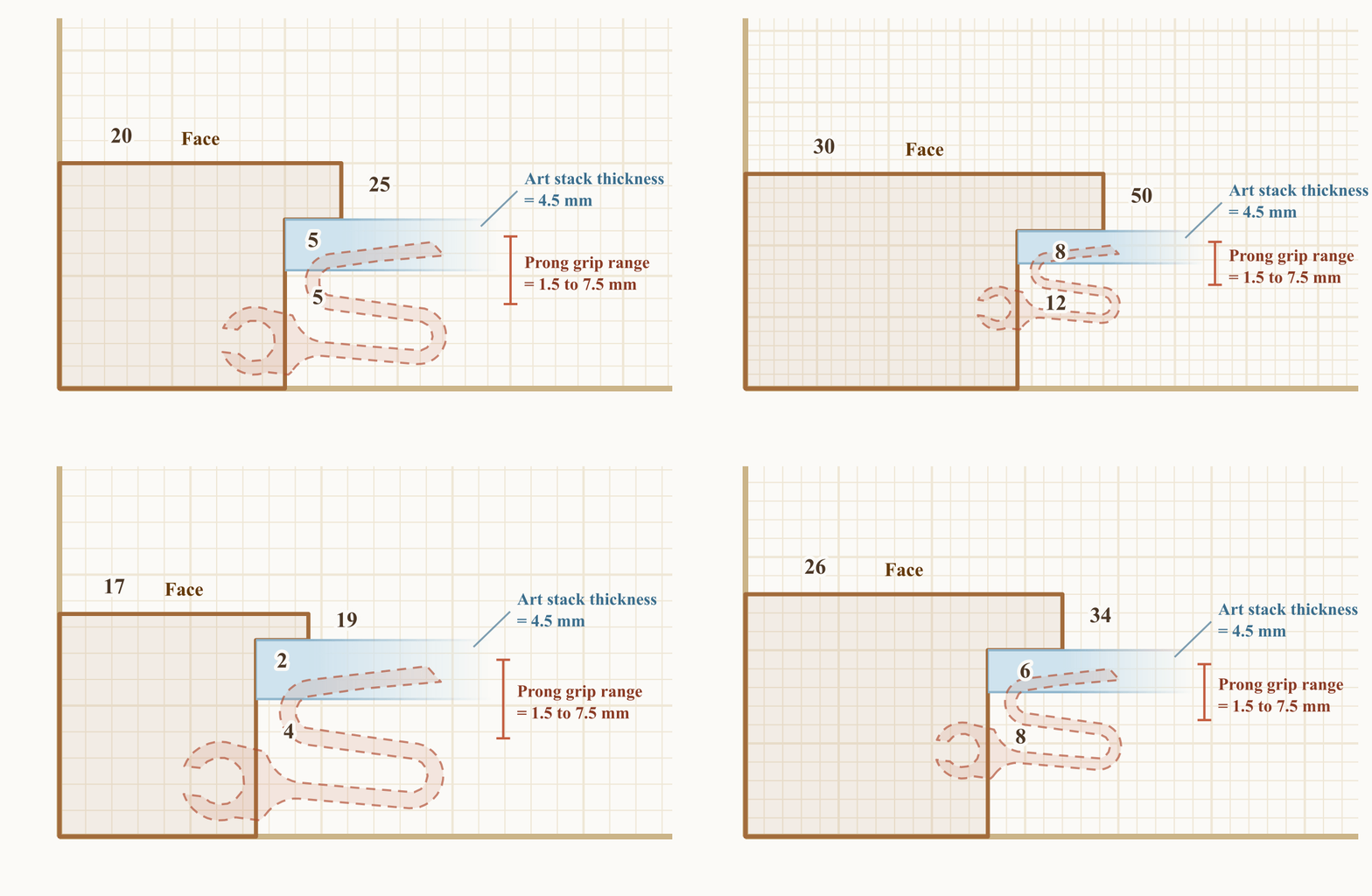
Drag Face, Height, Depth, and art thickness with live sliders to customize.
Materials & Face Design Presets
CompleteThe Face Design library includes Smooth, wood grains, patterns, and Materials with richer surface relief and color sources for more interesting prints. You can also generate your own Material (color + height) or Seamless Pattern right from Face Design.
Design Studio
CompleteA full design canvas for the frame face. Layer text, shapes, your own uploads, procedural patterns, and textures into one tile, check the seamless tiling preview, then send it straight to the Layer Composer to place on the frame.
Layer Composer
CompleteThe advanced way to build a face. Stack multiple designs plus an edge-relief layer, blend them, choose where the face samples from, and dial in relief depth and texture density. Color is handled separately in Colorize, so the Composer stays focused on the 3D relief.
Material & Pattern Generators
CompleteMake your own finishes right inside Face Design: create a print-ready Material (color plus a real height map), generate a seamless pattern, or draw a custom edge relief. Generation is included with Premium and Commercial plans.
My Generations
CompleteEverything you create is saved to your account automatically. Browse your full history of generated materials and patterns and reuse any of them on a new frame — no need to spend credits again.
Community Designs
CompleteSave, browse, and apply shared frame designs. This is already useful, but it will keep getting better as more people publish patterns and presets.
Round & Curved Shapes
CompleteCircle, oval, and arch frame shapes are available as one-piece generations when they fit the selected build plate. More polish and profile coverage is still ongoing.
Custom Edge Profiles (Width, Depth & More)
CompleteRewrote the frame generation engine so frames can be generated with fully custom edge profiles — width, depth, and other controls are now available, enabled by a new smart automatic clip design engine. This was foundational work for the remaining stretch goals.

Multi-Photo & Collage Frames
In DevelopmentCoordinated layouts for multiple photos, including collage-style frame kits and more flexible mat openings.
Edge-Lit Frames
In DevelopmentFrame profiles with a channel for LED strips so a print can glow from behind or around the edge.
Lithophane Lightbox Mode
In DevelopmentA dedicated generator mode for custom-size lithophane displays with printable lightbox parts.
Have a feature idea?
Send it over. Specifics help most — what you were printing, what went wrong, and what you expected to happen.